
Cloud Computing Made Simple: A Guide for Growing Brands

Suman Das
2025-08-29
Introduction: A Story You’ll Relate To
Imagine you run a small bakery in your town. You’re great at making cakes, but every month, you’re stuck paying high bills for computers, software updates, and data storage. You need technology, but the costs keep eating into your profits.
That’s when Cloud technology steps in as the perfect solution. Instead of buying expensive servers and software, you can rent them on demand, just like you pay for electricity or water.
These days, cloud solutions are more affordable, secure, and flexible than ever—making them the perfect option for small businesses that want to grow without breaking the bank.
What Is Cloud Computing?
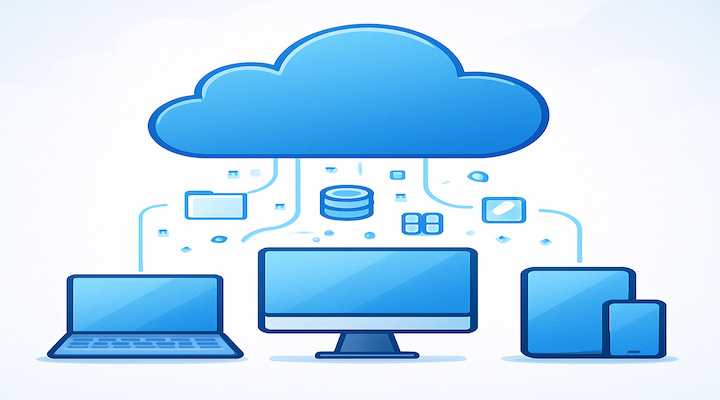 Fig 1: cloud-computing-illustration-devices-connected.jpg
In simple words, cloud computing means using the internet to access tools, storage, and software instead of installing them on your office computers.
Think of it like renting a fully equipped office space instead of buying the building. You get everything you need—without the hassle of managing it yourself.
Popular examples include Google Drive, Dropbox, and Microsoft 365. But beyond file storage, businesses today use the cloud for accounting, customer management, marketing, and even security.
Benefits of Cloud Technology for Small Businesses
 Fig 2: cloud-technology-benefits-small-business-team-collaboration.jpg
This is how the cloud is reshaping business success:
1. Cost Savings
No need to invest heavily in equipment or programs from the start.
Pay only for what you use, like a monthly subscription.
Frees up your budget for marketing, hiring, or expanding your services.
2. Flexibility
Work from anywhere—office, home, or while traveling.
Manage your business from a laptop, smartphone, or tablet with ease.
Perfect for small teams juggling multiple tasks.
3. Teamwork Made Easy
Cloud apps allow real-time collaboration.
Multiple team members can edit documents or track sales at the same time.
Think of it like working on a shared whiteboard—everyone sees updates instantly.
4. Cloud Computing Security
Providers invest heavily in advanced security (much more than most small businesses can afford on their own).
Features like data encryption and two-factor authentication keep sensitive information safe.
Regular backups mean you won’t lose your files if a laptop crashes or is stolen.
5. Scalability
Start small and grow big—scale up when your customer base increases.
Add more storage, users, or apps with just a few clicks.
No need to buy new equipment every time your business expands.
Step-by-Step Guide: Getting Started With Cloud Computing
You don’t need to be “techy” to move your business to the cloud. Here’s a beginner-friendly roadmap:
1. Choose the Right Cloud Provider
Consider using major cloud services such as Amazon Web Services, Google Cloud, or Azure.
For very small businesses, user-friendly options like Zoho, Dropbox Business, or Google Workspace may be ideal.
Compare costs, features, and ease of use before deciding.
2. Set a Budget
Most providers offer flexible plans starting at just a few dollars per month.
Decide what you truly need first (storage, email, or business apps) to avoid overspending.
3. Migrate Your Data
Start small by moving files or emails to the cloud.
Many providers offer free migration tools that make it simple.
Work with an IT consultant if you have large or complex systems.
4. Focus on Cloud Computing Security
Always enable two-factor authentication for logins.
Train employees not to share passwords or click suspicious links.
Regularly update your software for maximum protection.
5. Train Your Team
Host short training sessions to help employees use new cloud tools.
Use simple analogies: “Saving to the cloud is like saving to a shared online locker.”
Encourage them to explore features like collaboration tools, shared calendars, and task managers.
Real-Life Example: A Small Business Success Story
A small boutique specializing in clothing adopted a cloud-based system to manage its inventory.
Instead of manually tracking stock on spreadsheets, the owner used a cloud app that updated in real time. The change reduced errors, pleased customers, and opened new opportunities for online sales.
The cost? Less than what she previously paid for printer ink and paper every month!
Conclusion: The Future Is in the Cloud
Cloud computing isn’t just for big corporations—it’s an affordable, powerful tool for small businesses, too. With benefits like cost savings, security, and scalability, it helps you focus on what really matters: growing your business and serving your customers.
If you’ve ever thought, “Technology is too expensive or complicated for me,” Cloud technology proves the opposite. Start small, take it step by step, and watch your business transform.